

Company owner
See your leads, team activity, and deal results together.
REAL ESTATE CRM FOR UAE BROKERAGES
Keep lead details, WhatsApp chats, projects, assignments, and follow-ups together so your team knows what to do next.
Built for property developers, brokerages, managers, consultants, and marketing teams.
Each team member chooses their own language, and the system switches instantly.
Arabic interface with right-to-left layout on iOS and Android
Available on the App Store and Google Play.
Common problems
Bring your leads, chats, assignments, and follow-ups together while keeping the way your team sells.
Leads arrive from different campaigns and channels.
WhatsApp conversations remain disconnected from lead details.
Assignments and ownership become unclear.
Follow-ups depend on individual memory.
Managers cannot see the full lead history.
Marketing teams lose the link between lead quality, source, and project.
How it works
At each step, see the lead details, owner, source, and next action.
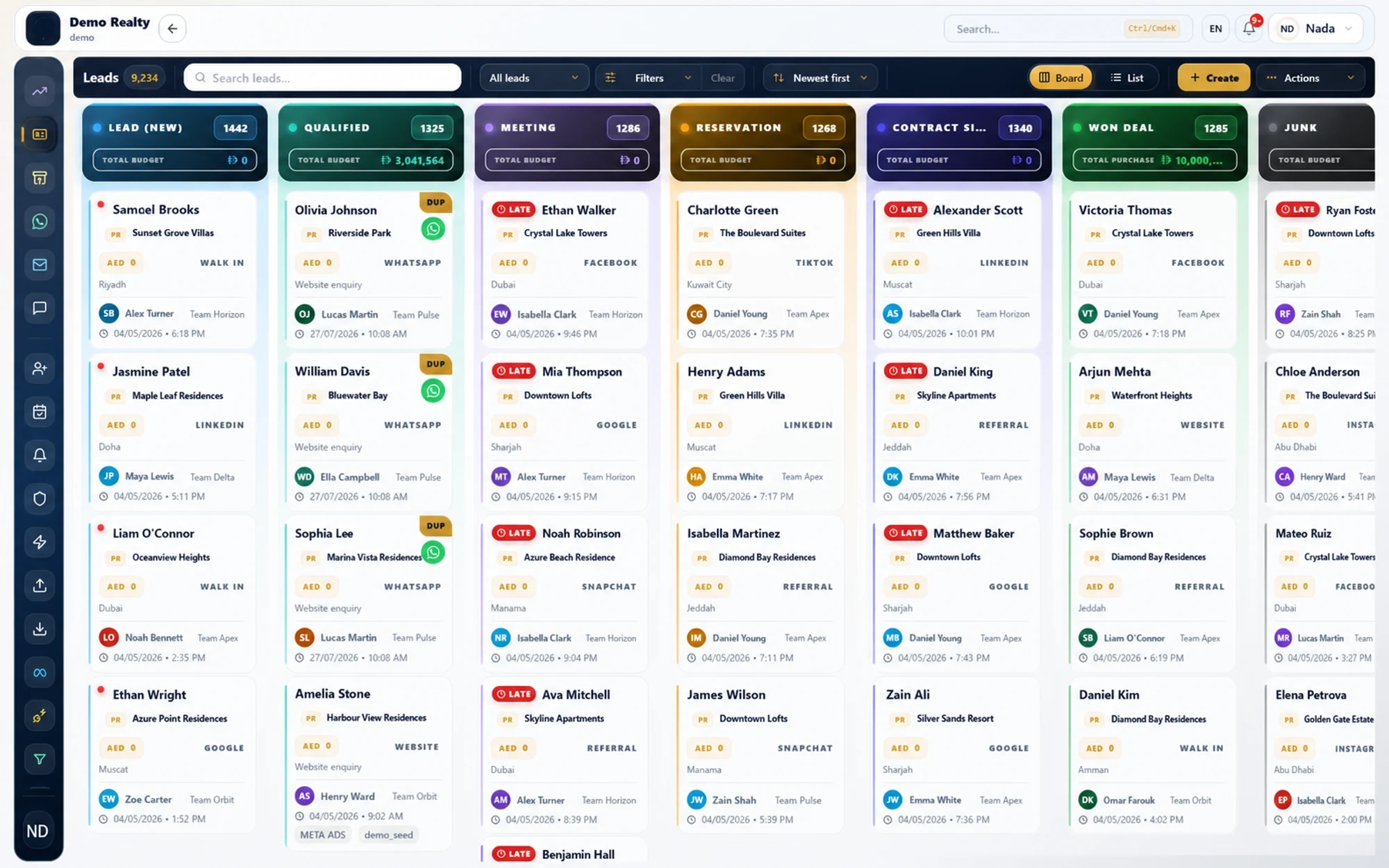
Lead management
See each lead's stage, agent, source, and next step. Keep qualification, follow-ups, project interest, and deal results together.
CRM · Pipeline board
Leads and WhatsApp
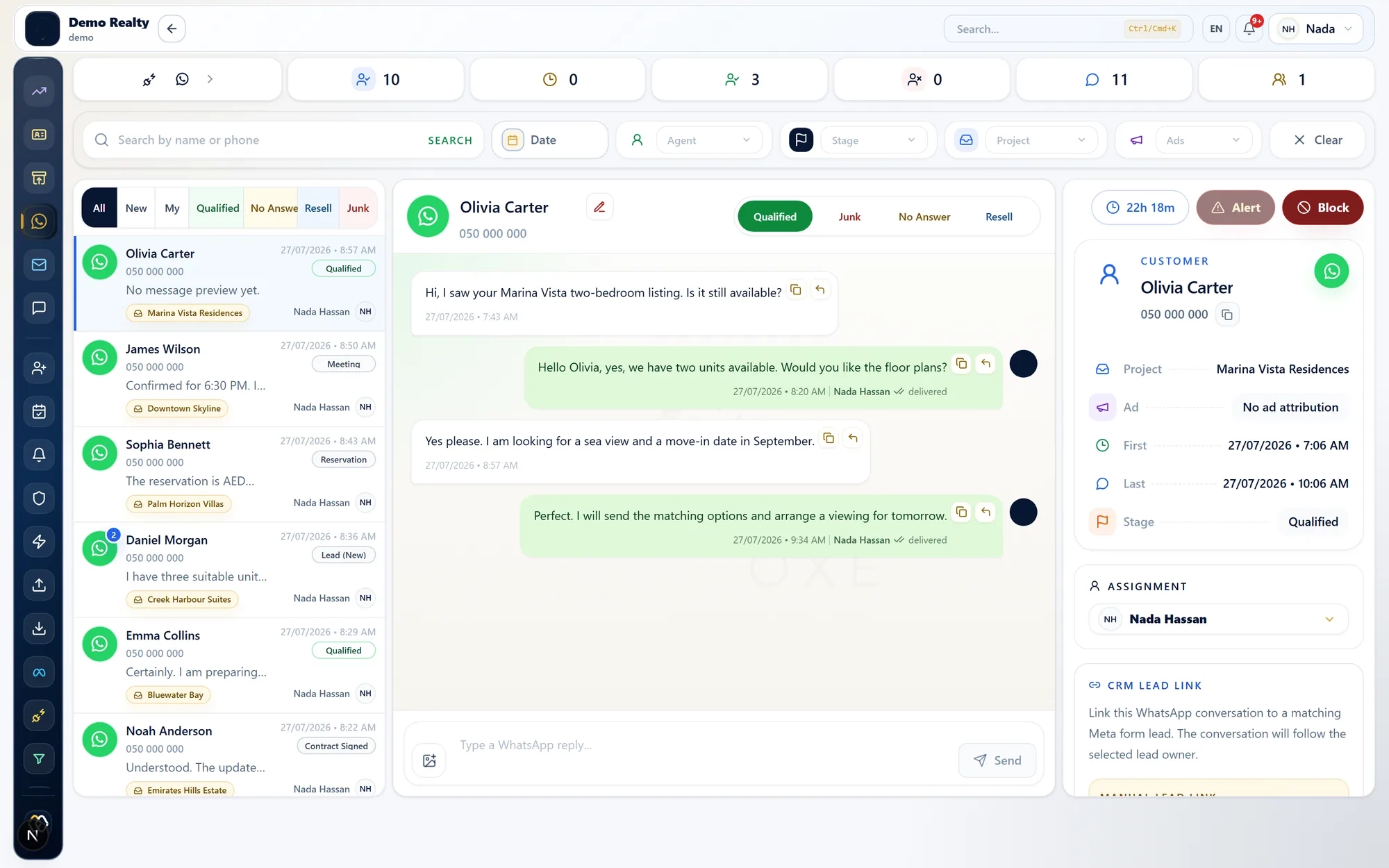
Connect your WhatsApp Business account to see chats beside your leads, assignments, projects, and follow-ups.
Your agents know the lead history. Your managers can see who owns each lead and its next follow-up.
LEADOXE connects WhatsApp and Meta through their official APIs, with your authorisation.
Conversations · WhatsApp inbox
Assignment and routing
Assign leads to agents or teams. Use round-robin, weighting, project and source rules, or fallback rules.
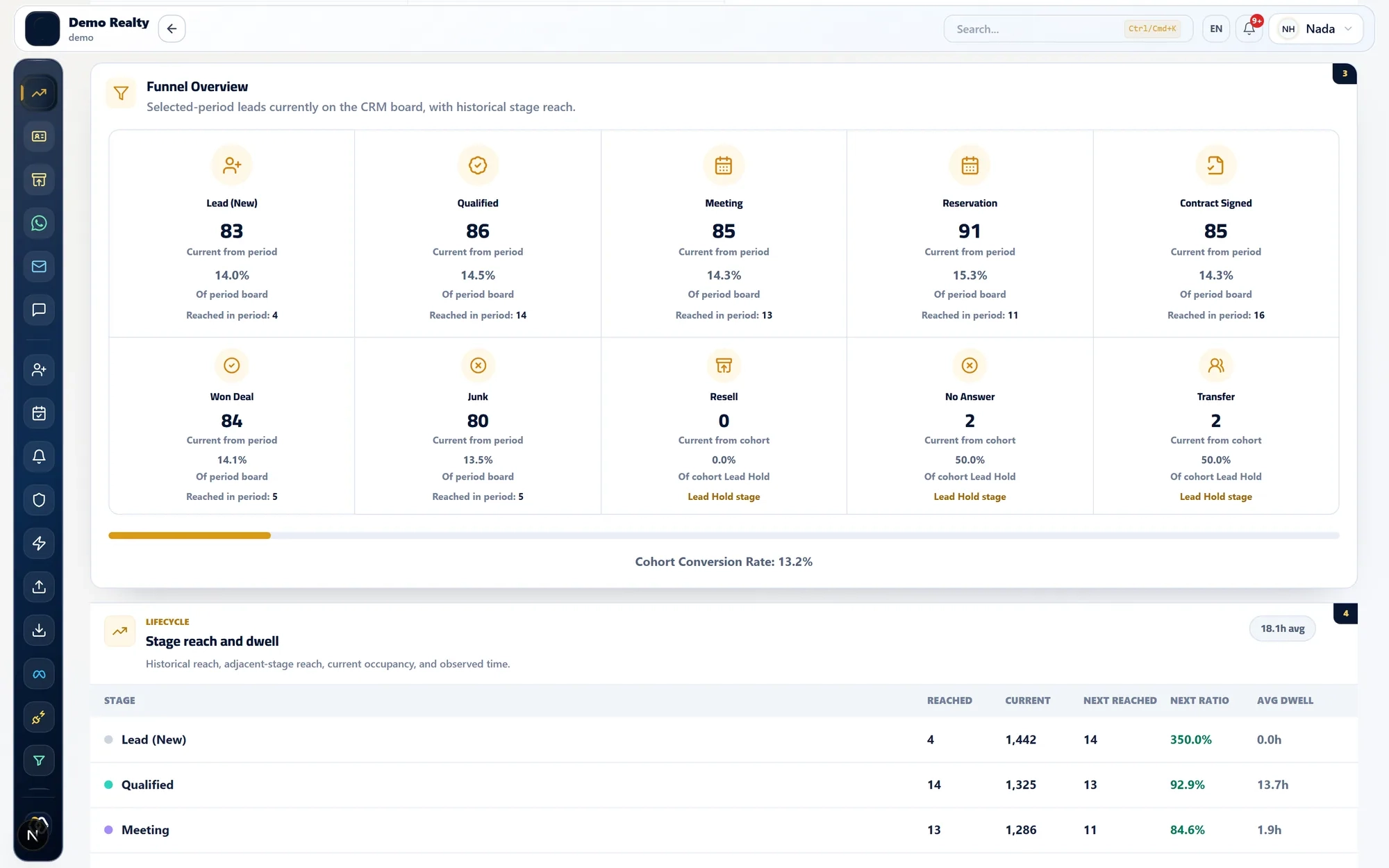
Analytics · Funnel overview
Before
With LEADOXE
Your managers can see who owns each lead and how it was assigned.

Projects and lead sources
Keep the project, campaign, form, ad, and source details your connections provide or your team enters.
Agents can see which property each lead asked about.
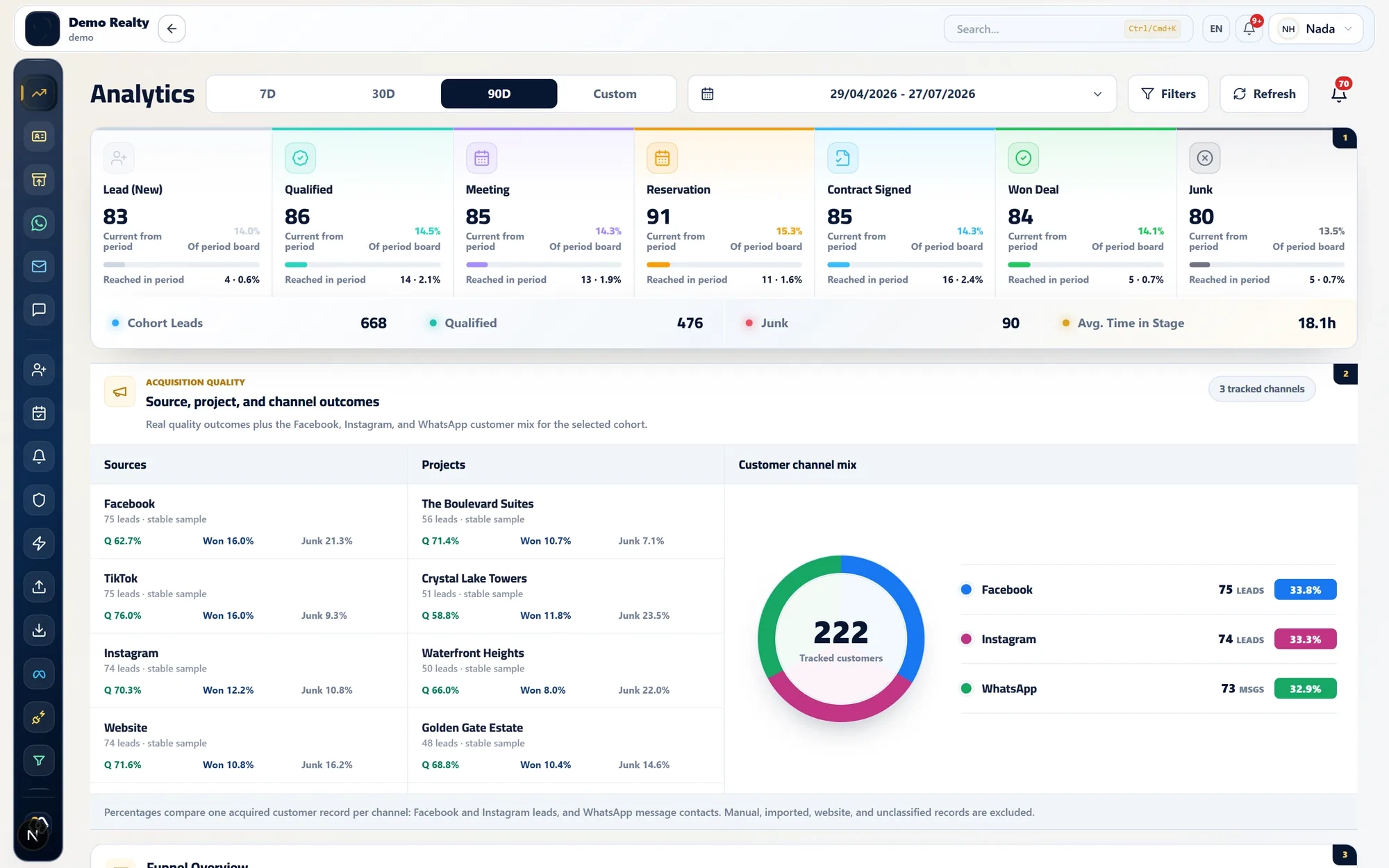
Managers can review lead quality by source.
Marketing teams can review what happens to their leads.
Project details stay with each lead.
Keep project and campaign details with each lead as your team follows up.
Analytics · Acquisition quality
Reports
Use your CRM data to answer practical questions:
Role-specific value
See your leads, team activity, and deal results together.
Review ownership, pipeline movement, overdue follow-ups, and team activity.
See your leads, project details, chats, and next steps in one queue.
Review lead results by campaign, project, and source.
Manage users, roles, teams, assignment rules, and company settings.
Integrations
Integration features depend on the provider, your account, and how your workspace is set up.
View integrationsSecurity
Your company data stays separate. Access follows each person's role, login is protected, and important actions can be reviewed.
A practical walkthrough
Walk through lead capture, WhatsApp, assignments, follow-ups, and reports using your team structure and sales process.
sales@leadoxe.com